

Passwords: They seem to have been with us forever.
As we continue to suggest things you can do to protect the integrity of your company and customer data, here is a blog that covers an old level of security that we still rely on everyday. That protection is the password, so let's talk about bedding up your employee’s handling of passwords.Password hygiene - Passwords remain the most common everyday tool to ensure only authorized personnel have access to secure material. The issue is that passwords need maintenance and attention to be effective. Here are some common problems to avoid. And again, this requires a routine employee training program.

- Passwords that are too simple
Simple passwords are easy to remember but easy to crack. Words, in any language, are not ideal either. That is why many sites require a mix of letters, characters, and numbers. And yes, some people are still using Myname123. - One universal password
Sometimes people find it difficult to remember multiple passwords for various files and applications, so they use a single good, strong password everywhere. This renders the good password virtually pointless and also increases the amount of damage that can be inflicted in the event that one ‘good’ password is compromised. - Unauthorized password sharing
Generally done with benign intentions, employees often share passwords for convenience or to expedite handling the sharing of data. Not good. - Writing down passwords
Sometimes, people follow all password best practices but find it difficult to remember complicated passwords and then write them down on a piece of paper or worse still, make a file containing all the passwords and store it in their email or computer. This is almost like giving away the keys to your property to a burglar. - Forgetting to change passwords to change passwords or revoke access.
This is an issue where the staff is busy and turnover is high. Managers may fail to remember to change the passwords once a staff member quits, leaving company data vulnerable. This is especially likely in a small company where there may not be a centralized IT staff that oversees data security and access.
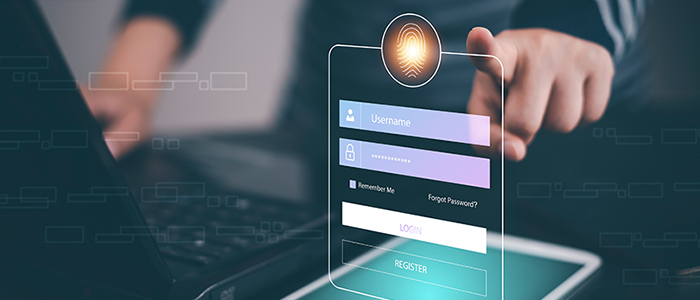
Remember, having a password is not sufficient. Having the right kind of password and following good password hygiene is.
Multi-factor Authentication (MFA) - When a password isn't enough, the next step to improve security is MFA. MFA layers a second authenticator (e.g. another code, picture) etc.) on top of the password requirement. The idea is that if a password is being used by someone not authorized to do so, they won’t be able to provide the second piece of information. Consumers almost always encounter it when accessing financial services sites, but MFA is becoming more common across the board. If you use a credit card at a gas station, that request for your zip code after you insert your credit card is an example of MFA.
Comments
Post a Comment