
Prying eyes: Keeping your data safe
Even the simplest business possesses data that is proprietary and confidential. Customer and prospects lists, sales data, and personal data about customers such as their credit cards, names, addresses, birth dates. Maybe even medical information or social security numbers. If any of this data is compromised, you could face legal and reputational consequences. It is important you stay vigilant in making sure this data is as safe as it can be from cybercriminals.If you have extremely confidential data, it may be important to use methods to address physical access. Should your server rooms be key-coded or require biometric access? Access codes for physical entry to a room are relatively simple to install. However, passcodes are pretty easy to steal or they can be shared by employees. In addition to limiting access they can also identify when and who accessed a secure location. One step beyond passcode entry is biometric authentication. Examples of biometric tools are fingerprint, iris or facial recognition. The advantages to these are clear. They cannot be easily stolen and for the user, there is no passcode to remember or a keycard to lose. An MSP can provide guidance about how to go about installing a biometric authentication system to secure specific locations.
On the other end of the spectrum, there is one excellent tool out there that can protect against one of the most common tricks criminals use to get into your data banks. That tool is employee training about phishing emails and fake websites. Phishing emails, the emails that trick you into opening a link that has been corrupted, remain a tried and true method for cybercriminals. What is the best defense? Employee training on how to avoid falling into the trap. The simplest maxim to remember? If in ANY doubt, don’t open a link. If there is any reason for suspicion, delete the email and forget about it. Also, look at the email address of the sender. Is it legitimate or is it misspelled or have a few extra characters or numbers that aren’t familiar.
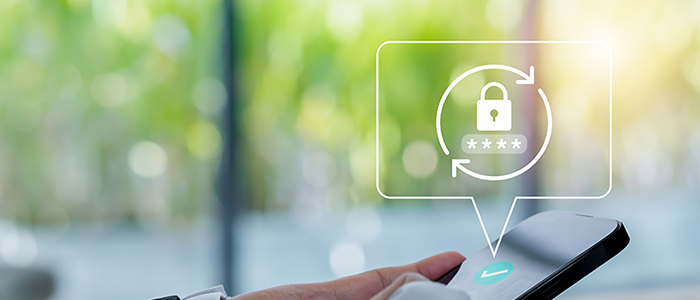
What about the usage of passwords? Passwords can be hacked and stolen. there is another tool available to make passwords safer. You can make passwords more secure using multi factor authentication(MFA). MFA is pretty simple. It requires a second level of verification to prove that the password is being used by the individual authorized to use it. Examples of MFA are ATM machines that require a card AND a password. MFA very commonly requires the user to submit a code that is sent to another platform. (You’ve probably encountered this one if you use online banking)
Also, update your software. Immediately. Whenever you get an alert to update anything. Do it then. Don’t put it off until tomorrow because this update may have been released to address a recently discovered threat. This is a very simple thing to do and will offer significant protection. Additionally, your Managed Service provider may offer clients a subscription to day zero alerts. These are texts or emails that are sent out whenever a new virus or vulnerability has been discovered.
Among those firms who take risk management seriously, there is a growing awareness of the need to consider some manner of insurance to protect against the costs of cybercrime. When all else fails, and your data has been breached, how can you protect your business financially? Standard commercial property insurance policies do not generally include provisions for the damages from cybercrime. In a growing number of commercial policies, they are specifically excluded. As a result, executives who recognize the catastrophic damage that a cyberattack can inflict on their business are looking at cyber insurance to transfer the financial losses to a third party. However, there are some pretty deep weeds to get into when looking for a cyber insurance policy. Just for one example, some policies may create requirements and security standards you must meet before an event will be considered a covered loss. A Managed Service Provider can offer guidance into whether this is an avenue to explore.
In conclusion, there are several tools that you can use to protect your data from cybercriminals. They range from the very simple to the highly sophisticated. Your MSP can be of help in adopting any or all of these tools. From providing employee training all the way to biometric solutions.
Comments
Post a Comment